Flatten PDF guides

What does flatten PDF mean and when should you use it?

Understand that flattening fixes supported interactive form values into page content so those fields are no longer editable in the same way.

Open Flatten PDF

Reviewed by PDFKaka ·

What does flatten PDF mean and when should you use it?

What this workflow helps you do

Similar PDF tasks can produce materially different results. This Guide separates what Flatten PDF does from the nearby alternative so the correct output is chosen before processing.

Understand that flattening fixes supported interactive form values into page content so those fields are no longer editable in the same way.

Plan the task in Flatten PDF

Fix supported interactive form values into the PDF page content. Keep the original document if those fields may need to be edited again.

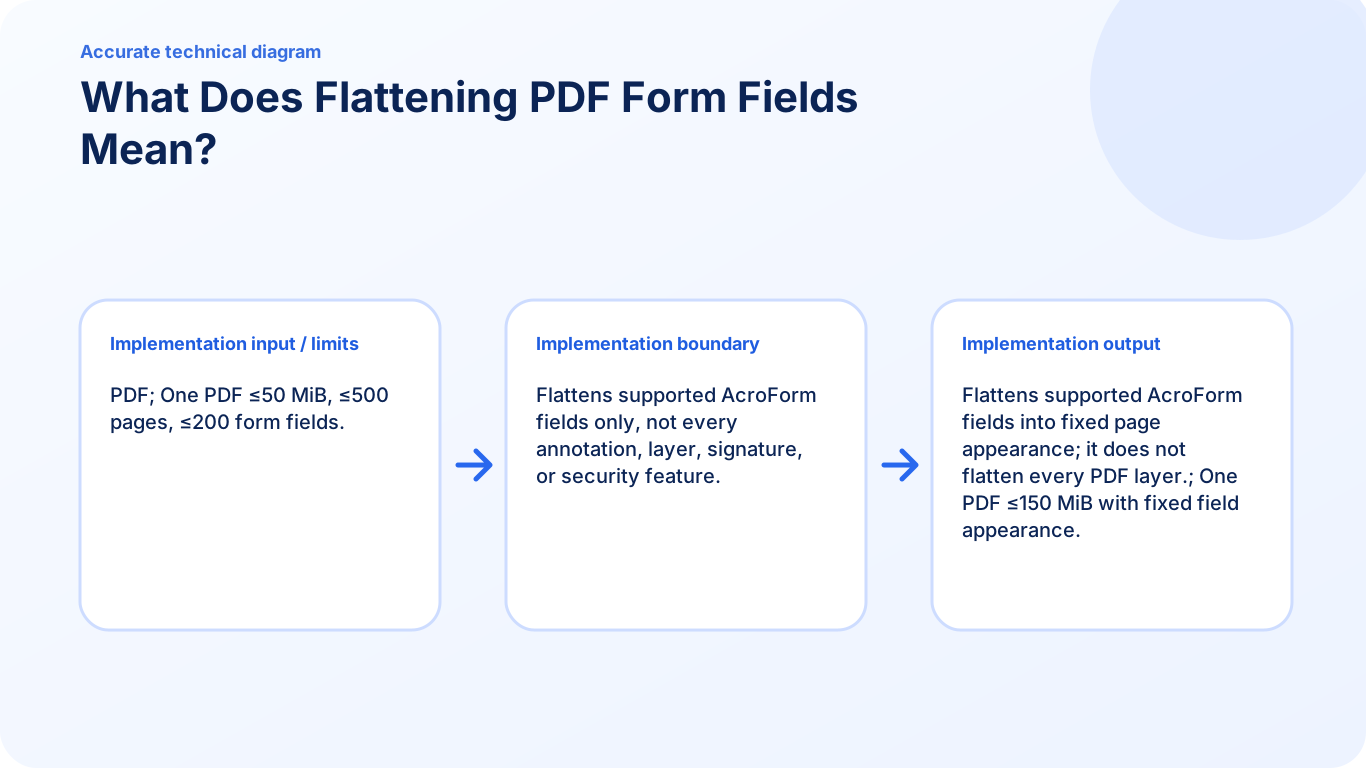
Flatten PDF converts compatible interactive form values into their visible page appearance. The resulting sharing copy is no longer casually editable through those fields, which can improve consistency for printing, submission, or review.

  1. Make completed form values non-interactive. Supported AcroForm values become fixed page content rather than editable controls in the flattened copy.
  2. Reduce form-display differences between viewers. Fixing field appearances can help recipients see the reviewed values even when PDF viewers handle interactive controls differently.
  3. Keep the editable source form. Flattening is difficult to reverse and is not encryption. Save the original separately if values may need to be corrected later.

Choose the result, not just the familiar tool name

This task overlaps with another PDF workflow, but the outputs are not interchangeable. Flatten PDF should be chosen only when its documented result matches what the recipient or next application needs.

Compare whether the result must remain editable, preserve appearance, create several files, remove content, or simply change what is visible.

  1. Describe the required output in one sentence.
  2. Choose the tool whose output contract matches that sentence.
  3. Verify the result before deleting or replacing the source.

Settings and limitations to check

What does flatten PDF mean? It means converting supported interactive field values into fixed page content so those controls are no longer editable in the normal way.

Can I flatten a PDF online for free? Yes. Flatten supported form fields locally without creating an account.

Does flattening secure or encrypt a PDF? No. Flattening fixes supported field appearances; it does not add a password, encryption, permissions, or identity proof.

  1. Use only the settings needed for the required result.
  2. Keep the source file available for comparison.
  3. Do not rely on an unsupported exact-size, fidelity, or security promise.

Review the completed file

Keep an editable original and confirm the flattened values remain visible in another reader.

Open the downloaded result in a separate viewer, inspect important pages or details, and repeat the workflow with adjusted settings if the output is not suitable.

  1. Confirm the expected file type and page count.
  2. Check important text, images, order, and orientation.
  3. Share or submit only the reviewed copy.

Tools used in this workflow

Frequently asked questions

What should I prepare before following this workflow?

Understand that flattening fixes supported interactive form values into page content so those fields are no longer editable in the same way.

How should I verify the result?

Keep an editable original and confirm the flattened values remain visible in another reader.

What does flatten PDF mean?

It means converting supported interactive field values into fixed page content so those controls are no longer editable in the normal way.

Can I flatten a PDF online for free?

Yes. Flatten supported form fields locally without creating an account.

Does flattening secure or encrypt a PDF?

No. Flattening fixes supported field appearances; it does not add a password, encryption, permissions, or identity proof.

Do I need an account to use Flatten PDF?

No. Current PDFKaka tools work without registration or sign-in.

Are my files uploaded while I use Flatten PDF?

No. This working tool processes the selected files locally in the current browser session.