Merge PDF Online
Combine PDF, JPG, JPEG, and PNG files into one PDF. Arrange source files, rotate pages when needed, and download the result without creating an account.
or drag PDF, JPG, JPEG, or PNG files here
PDF, JPG, JPEG, PNG · Up to 20 filesView limits & supported files
- Supported files:
- PDF, JPG, JPEG, and PNG.
- Limits:
- Up to 20 files, 25 MiB per file, 100 MiB total input, and 500 output pages.
- Image limits:
- Maximum 16,384 px on either side and 40 million pixels total.
- Password-protected PDFs:
- Unlock the PDF before adding it to Merge PDF.
Your PDF is ready
The merged PDF passed browser validation.
.pdf
The .pdf extension is added automatically. Unsafe filename
characters are replaced.
Browser processing
No account required
Direct download
Combine PDFs and images in one workflow
Merge complete PDF documents and JPG, JPEG, or PNG images into one PDF. Arrange the source files before processing, rotate individual pages when needed, and review the result before downloading it.
Arrange source files before merging
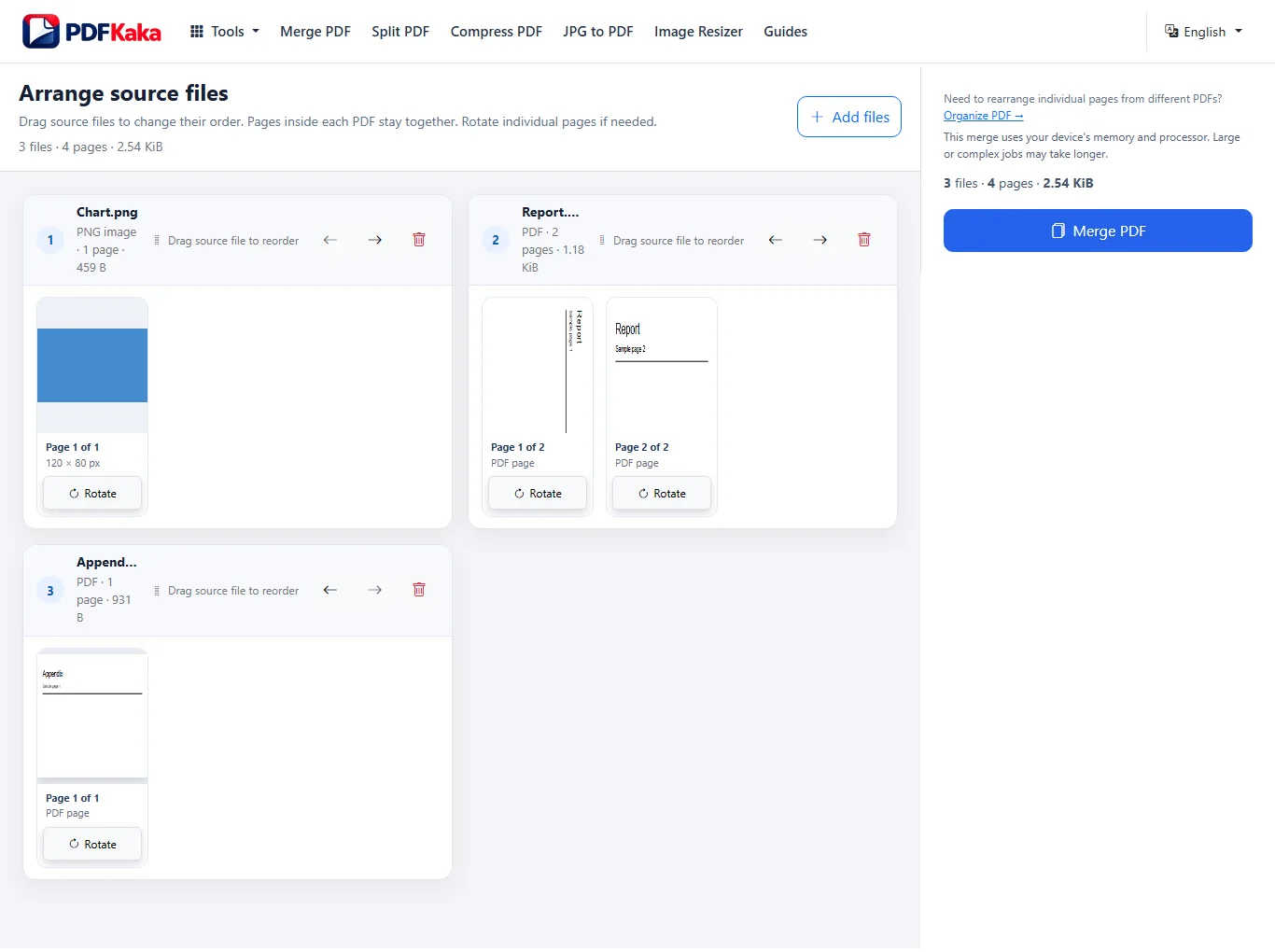
Move complete source files into the order you want. Pages already inside each PDF stay together and keep their internal order.
Keep PDF pages as PDF pages
Existing PDF pages are copied into the rebuilt output rather than converted into screenshots. The output PDF is rebuilt, so PDFKaka does not promise byte-for-byte identity with the source files.
Add JPG, JPEG, and PNG images
Images can be mixed with PDF files in the same job. Each image becomes a PDF page at 96 PPI while keeping its aspect ratio.
How to Merge PDF Files
Use Merge PDF when each source document is already correct internally and you want to combine the complete files into one final PDF.
- Choose at least two supported PDF or image files.
- Drag the source files into the order they should appear in the final document.
- Rotate any sideways pages in 90-degree steps.
- Review the page sequence and remove any source file you do not need.
- Select Merge PDF, then download and open the finished document.
Need to move individual pages between PDFs? Use Organize PDF for page-level rearranging.
Related PDF tools
Merge PDF questions
Can I merge PDF and JPG files in the same job?
Yes. Merge PDF accepts PDF, JPG, JPEG, and PNG files. Complete PDFs and images can be added to the same job and arranged before processing.
Can I rearrange individual PDF pages before merging?
Not with Merge PDF. Merge PDF changes the order of source files while pages already inside each PDF stay together. Use Organize PDF when you need to move individual pages between documents.
Are PDF pages converted into images?
No. Existing PDF pages are copied into the rebuilt output rather than rasterized into screenshots. Because the output PDF is rebuilt, PDFKaka does not promise byte-for-byte identity with the original files.
What happens to JPG, JPEG, and PNG images?
Each supported image becomes a PDF page at 96 PPI while keeping its aspect ratio. Existing PDF pages keep their own page dimensions.
Can I merge password-protected PDFs?
No. Password-protected PDFs must be unlocked before they can be added to Merge PDF.
What are the Merge PDF limits?
One merge job may contain up to 20 files, with a maximum of 25 MiB per file and 100 MiB total input. The combined result may contain up to 500 pages. Images may be up to 16,384 px on either side and 40,000,000 pixels total.
Are my files uploaded to PDFKaka?
Document validation and merging happen locally in the browser. The selected file contents are not uploaded to PDFKaka as part of the normal Merge workflow. Normal website asset and analytics requests may still use the network.
Do I need an account to merge PDFs?
No. Merge PDF works without registration or sign-in.
Helpful Merge PDF guides
Merge PDF guide
How to Combine PDF, JPG and PNG Files Into One PDF
Build one ordered PDF from complete PDF files, page images or a mixture of both. Images are optional: a PDF-only job uses the same file-order workflow. Use the page organizer instead when pages inside a source need a…
Read guide →
Merge PDF guide
How to Merge PDF Files Without Unnecessary Quality Loss
Merging PDFs should not require turning every source page into a screenshot. PDFKaka copies existing PDF pages into a rebuilt output PDF, while JPG, JPEG, and PNG inputs become image-based PDF pages.
Read guide →
View all PDFKaka Guides →