Compare PDF guides
Visual PDF comparison versus text comparison
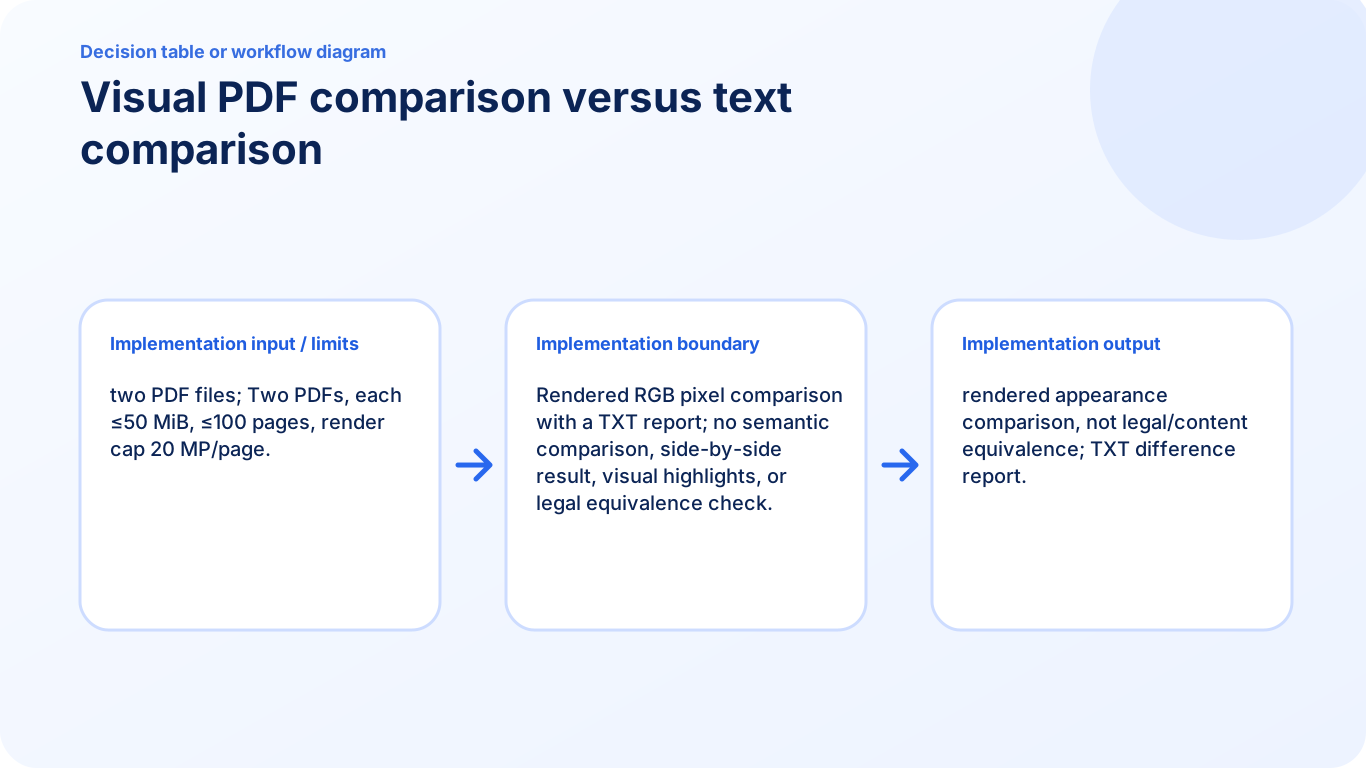
Understand that the current report compares rendered pixels and does not determine semantic, contractual, or legal equivalence.
Open Compare PDFReviewed by PDFKaka ·
What this workflow helps you do
Similar PDF tasks can produce materially different results. This Guide separates what Compare PDF does from the nearby alternative so the correct output is chosen before processing.
Understand that the current report compares rendered pixels and does not determine semantic, contractual, or legal equivalence.
Plan the task in Compare PDF
Review rendered page differences between two PDF versions. The comparison is visual and does not determine semantic or legal equivalence.
Compare PDF renders matching page positions from two documents and measures visual pixel differences. It can reveal changed wording appearance, layout movement, missing graphics, or page-level revisions, but it is not a semantic, contractual, or legal comparison.
- Compare PDF documents page by page. Review corresponding page positions and use the difference report to identify where closer inspection is needed.
- Find visible changes between PDF versions. Layout, image, font-rendering, page-size, and visible text changes can affect the comparison score and highlighted result.
- Know what a visual comparison cannot prove. Meaning can change without a large pixel difference, and harmless rendering differences can produce a score. Always read important revisions directly.
Choose the result, not just the familiar tool name
This task overlaps with another PDF workflow, but the outputs are not interchangeable. Compare PDF should be chosen only when its documented result matches what the recipient or next application needs.
Compare whether the result must remain editable, preserve appearance, create several files, remove content, or simply change what is visible.
- Describe the required output in one sentence.
- Choose the tool whose output contract matches that sentence.
- Verify the result before deleting or replacing the source.
Settings and limitations to check
Can I compare PDF files online for free? Yes. Select two PDFs and create a visual difference report without registration or uploading them.
Does PDF comparison detect changed meaning? No. The current comparison is visual. It does not perform semantic, contractual, or legal analysis.
Why can identical-looking PDFs show small differences? Font rendering, antialiasing, page dimensions, and other visual details can change pixels even when the documents look similar.
- Use only the settings needed for the required result.
- Keep the source file available for comparison.
- Do not rely on an unsupported exact-size, fidelity, or security promise.
Review the completed file
Read changed wording and numbers directly in the original documents.
Open the downloaded result in a separate viewer, inspect important pages or details, and repeat the workflow with adjusted settings if the output is not suitable.
- Confirm the expected file type and page count.
- Check important text, images, order, and orientation.
- Share or submit only the reviewed copy.
Tools used in this workflow
Frequently asked questions
What should I prepare before following this workflow?
Understand that the current report compares rendered pixels and does not determine semantic, contractual, or legal equivalence.
How should I verify the result?
Read changed wording and numbers directly in the original documents.
Can I compare PDF files online for free?
Yes. Select two PDFs and create a visual difference report without registration or uploading them.
Does PDF comparison detect changed meaning?
No. The current comparison is visual. It does not perform semantic, contractual, or legal analysis.
Why can identical-looking PDFs show small differences?
Font rendering, antialiasing, page dimensions, and other visual details can change pixels even when the documents look similar.
Do I need an account to use Compare PDF?
No. Current PDFKaka tools work without registration or sign-in.
Are my files uploaded while I use Compare PDF?
No. This working tool processes the selected files locally in the current browser session.