PDF reader guides
Why a PDF will not open in an online reader
Distinguish password protection, corruption, unsupported PDF features, invalid file contents, and device-memory limits.
Open PDF readerReviewed by PDFKaka ·
What this workflow helps you do
When PDF reader does not produce the expected result, first distinguish an unsupported input or document structure from a settings problem. The source file, page type, and browser resources determine the safest next step.
Distinguish password protection, corruption, unsupported PDF features, invalid file contents, and device-memory limits.
Plan the task in PDF reader
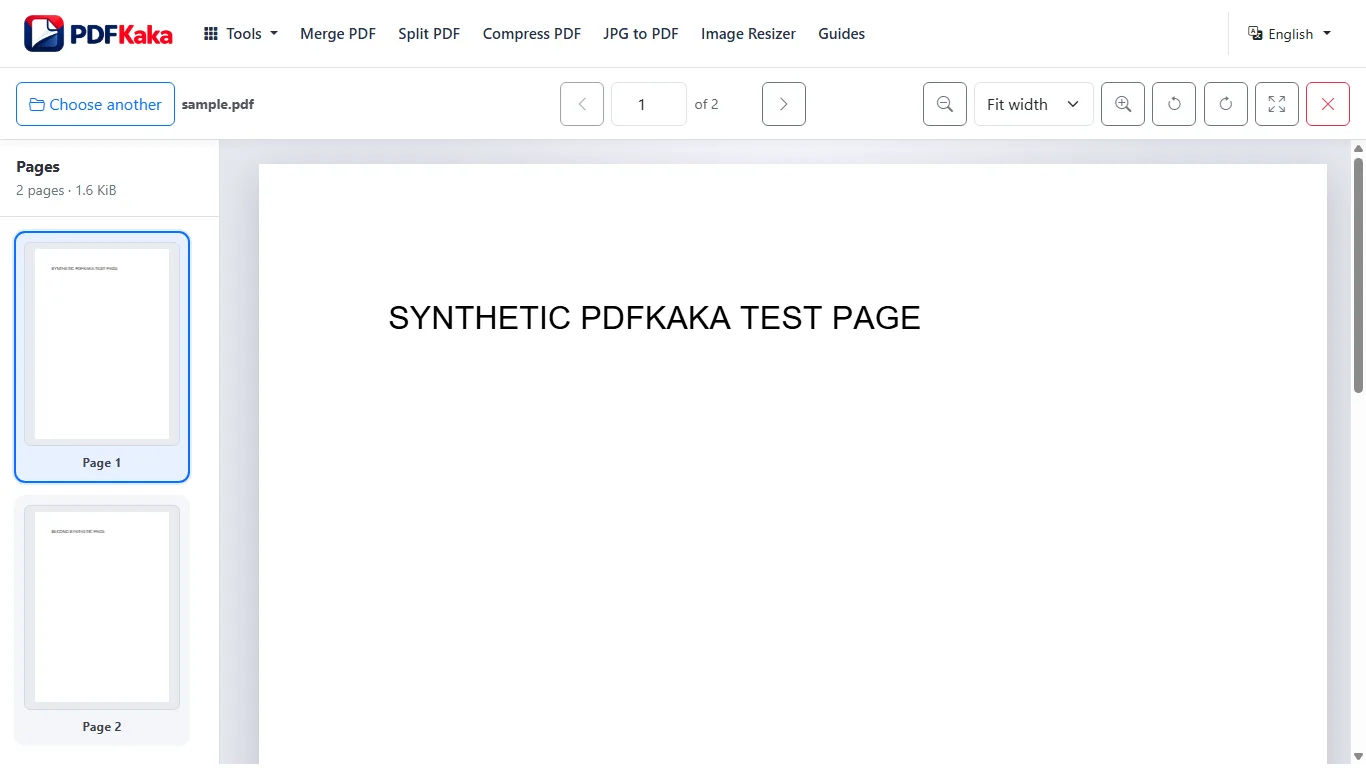
Read a PDF in a private browser workspace, move through thumbnails, zoom into details, and temporarily rotate the view without changing the file.
PDF Reader opens a selected document in a private browser workspace with thumbnails, page navigation, zoom, fit controls, and temporary rotation. It is a focused viewer rather than an editor, audio reader, or AI assistant.
- View PDF pages with thumbnails. Move quickly through a long document by selecting page previews instead of scrolling blindly from the beginning.
- Zoom and fit PDF pages for easier reading. Use zoom controls for small text and diagrams, or fit a complete page to the available screen when overall context matters.
- Keep the viewing session private. The selected PDF is read and rendered in this browser. The viewer releases its temporary document state when the page is closed or restarted.
Find the cause before repeating the same attempt
A PDF reader failure can come from the input file, an unsupported feature, a configured limit, device memory, or a result that cannot meet the requested condition. Repeating identical settings rarely changes that cause.
Test the source in a separate trusted viewer, read the tool's visible limits, and try a small representative file when possible. Never overwrite the only original while investigating.
- Confirm the file opens and contains the expected format.
- Check password, page-count, byte-size, and device-memory limits.
- Choose a different supported workflow when the requested feature is unavailable.
Settings and limitations to check
Can I use this PDF reader online for free? Yes. Open and read a supported PDF without registration or a document upload.
Does this PDF reader edit or save changes? No. It is a read-only viewer. Temporary view rotation and zoom do not modify the selected PDF.
Can the reader play PDF text as audio? No. Text-to-speech and audio reading are not part of the current tool.
- Use only the settings needed for the required result.
- Keep the source file available for comparison.
- Do not rely on an unsupported exact-size, fidelity, or security promise.
Review the completed file
Test the original in another trusted reader and avoid modifying it until its integrity is understood.
Open the downloaded result in a separate viewer, inspect important pages or details, and repeat the workflow with adjusted settings if the output is not suitable.
- Confirm the expected file type and page count.
- Check important text, images, order, and orientation.
- Share or submit only the reviewed copy.
Tools used in this workflow
Frequently asked questions
What should I prepare before following this workflow?
Distinguish password protection, corruption, unsupported PDF features, invalid file contents, and device-memory limits.
How should I verify the result?
Test the original in another trusted reader and avoid modifying it until its integrity is understood.
Can I use this PDF reader online for free?
Yes. Open and read a supported PDF without registration or a document upload.
Does this PDF reader edit or save changes?
No. It is a read-only viewer. Temporary view rotation and zoom do not modify the selected PDF.
Can the reader play PDF text as audio?
No. Text-to-speech and audio reading are not part of the current tool.
Do I need an account to use PDF reader?
No. Current PDFKaka tools work without registration or sign-in.
Are my files uploaded while I use PDF reader?
No. This working tool processes the selected files locally in the current browser session.