PDF to Markdown guides
How to convert PDF to Markdown for AI workflows
Extract selectable PDF text into lightweight Markdown, then remove private material and repair structure before using it with an AI system.
Open PDF to MarkdownReviewed by PDFKaka ·
What this workflow helps you do
This Guide answers a focused PDF to Markdown task and connects the explanation directly to the working browser tool.
Extract selectable PDF text into lightweight Markdown, then remove private material and repair structure before using it with an AI system.
Plan the task in PDF to Markdown
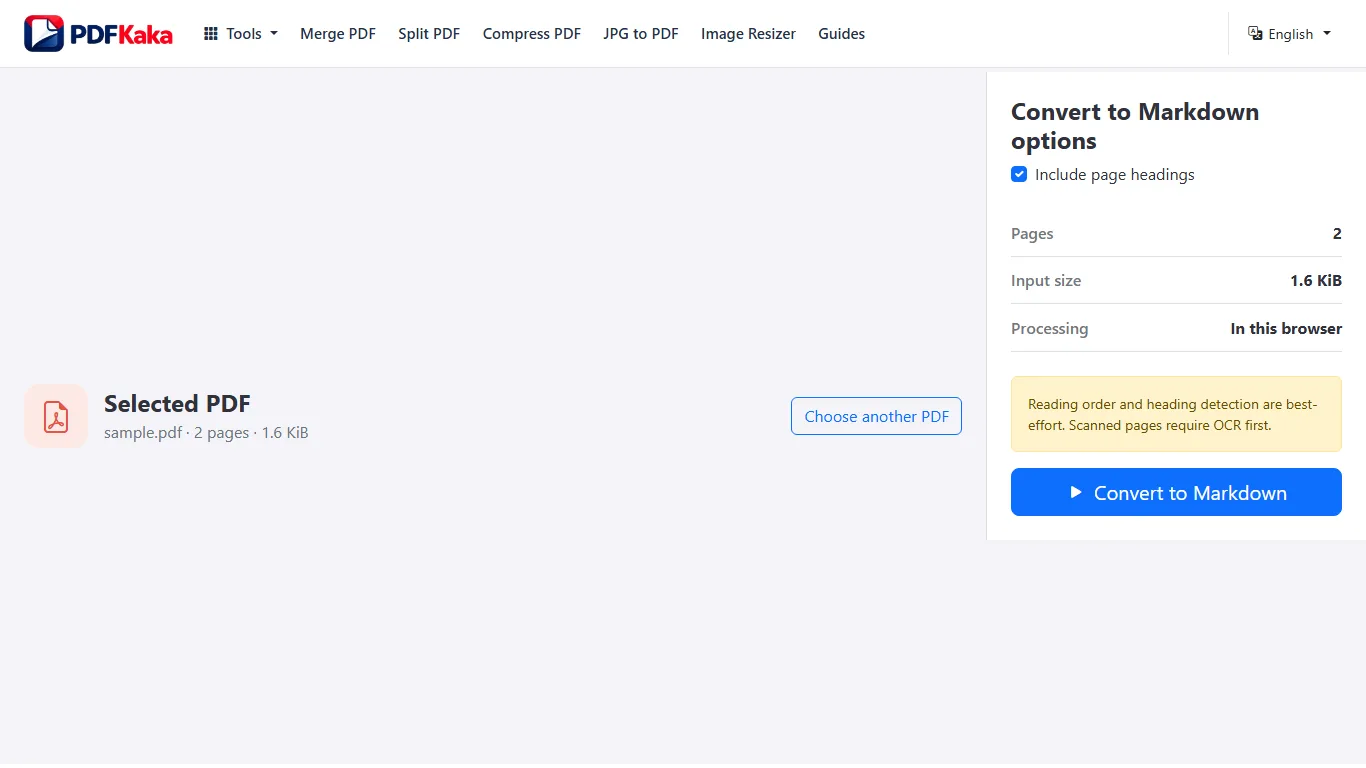
Convert text already stored in a PDF into Markdown with best-effort reading order and heading detection.
PDF to Markdown creates a clean starting point for documentation, notes, publishing systems, and AI preparation by extracting existing PDF text and applying conservative heading and paragraph rules. It does not pretend to reconstruct every table, image, or complex layout.
- Create an editable Markdown file from PDF text. Digitally created reports, notes, articles, and simple documents work best. Page boundaries can remain visible while you review and edit the result.
- Prepare PDF text for documentation or AI workflows. Markdown is lightweight and readable, which makes it useful for knowledge bases, version control, writing tools, and carefully reviewed AI inputs.
- Handle scans and complex layouts honestly. Scanned pages require OCR first. Heading detection, columns, tables, images, and reading order are best-effort and should be checked against the PDF.
Follow the focused browser workflow
Extract selectable PDF text into lightweight Markdown, then remove private material and repair structure before using it with an AI system.
Use PDF to Markdown for the supported operation, keep the source unchanged, and make one reviewed output rather than repeatedly processing an already changed copy.
- Prepare a supported source file.
- Choose only the settings needed for the task.
- Download and review the completed result.
Settings and limitations to check
Can I convert PDF to Markdown online for free? Yes. Extract supported selectable text and download an MD file without creating an account.
Can PDF to Markdown process scanned documents? Not directly. Use OCR PDF first, verify the recognized text, and then convert the searchable result.
Will tables and images become perfect Markdown? No. The current converter focuses on text, paragraphs, and best-effort headings rather than full visual-layout reconstruction.
- Use only the settings needed for the required result.
- Keep the source file available for comparison.
- Do not rely on an unsupported exact-size, fidelity, or security promise.
Review the completed file
Compare headings, reading order, tables, and missing context with the PDF before reuse.
Open the downloaded result in a separate viewer, inspect important pages or details, and repeat the workflow with adjusted settings if the output is not suitable.
- Confirm the expected file type and page count.
- Check important text, images, order, and orientation.
- Share or submit only the reviewed copy.
Tools used in this workflow
Frequently asked questions
What should I prepare before following this workflow?
Extract selectable PDF text into lightweight Markdown, then remove private material and repair structure before using it with an AI system.
How should I verify the result?
Compare headings, reading order, tables, and missing context with the PDF before reuse.
Can I convert PDF to Markdown online for free?
Yes. Extract supported selectable text and download an MD file without creating an account.
Can PDF to Markdown process scanned documents?
Not directly. Use OCR PDF first, verify the recognized text, and then convert the searchable result.
Will tables and images become perfect Markdown?
No. The current converter focuses on text, paragraphs, and best-effort headings rather than full visual-layout reconstruction.
Do I need an account to use PDF to Markdown?
No. Current PDFKaka tools work without registration or sign-in.
Are my files uploaded while I use PDF to Markdown?
No. This working tool processes the selected files locally in the current browser session.