Sign PDF guides
How to sign a PDF on iPhone or Android
Open the PDF on a phone, draw, type, upload, or pair a signature, place it precisely, and save a signed copy.
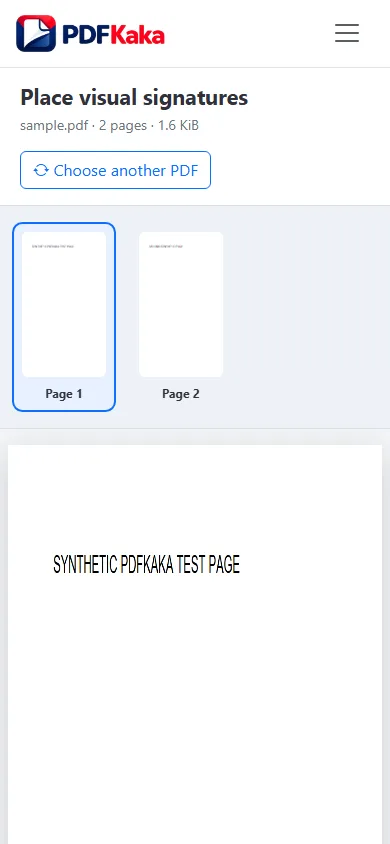
Open Sign PDFReviewed by PDFKaka ·
What this workflow helps you do
A phone browser can run Sign PDF without a separate desktop program. Device memory, the mobile file picker, camera permissions, and download handling matter more on a phone, so smaller batches are easier to verify.
Open the PDF on a phone, draw, type, upload, or pair a signature, place it precisely, and save a signed copy.
Plan the task in Sign PDF
Create and place visible signature artwork on one or more PDF pages. This tool does not create a certificate-backed digital signature or prove signer identity.
Sign PDF lets you draw, type, upload, or temporarily send signature artwork from a phone, then place and resize visible marks on one or more pages. This is an electronic visual-signature workflow, not a certificate-backed digital signature or identity-verification service.
- Draw, type, or upload signature artwork. Choose the method that produces a clear mark, then position it carefully inside the correct signature area.
- Draw a signature on a phone for a desktop PDF. The optional pairing flow transfers temporary signature artwork to the desktop session. The PDF itself remains on the desktop browser.
- Confirm what type of signature is required. Some documents accept a visible electronic mark, while others require a certificate, verified identity, witness, or regulated signing platform. Check before signing.
Complete the task reliably on a phone
The mobile file picker may show Photos, Files, Downloads, a camera option, or cloud-provider shortcuts depending on the device. Select only the sources required by Sign PDF and return to the browser while processing finishes.
Large documents and high-resolution images use device memory. If the browser reloads or becomes unresponsive, keep the originals and retry with a smaller supported batch rather than repeatedly starting the same large job.
- Use a current browser and keep the tab active during processing.
- Save the result to Files or Downloads.
- Reopen the download outside the tool before sharing it.
Settings and limitations to check
Can I sign a PDF online for free with no account? Yes. Add visible signature artwork and download the signed copy without registration.
Is this a digital signature with a certificate? No. The tool adds visible signature artwork and does not issue a cryptographic certificate or prove signer identity.
Is my PDF transferred to the phone? No. The optional phone workflow transfers only temporary signature artwork; the PDF remains in the desktop browser.
- Use only the settings needed for the required result.
- Keep the source file available for comparison.
- Do not rely on an unsupported exact-size, fidelity, or security promise.
Review the completed file
Reopen the download on the phone and verify every signature mark and required page.
Open the downloaded result in a separate viewer, inspect important pages or details, and repeat the workflow with adjusted settings if the output is not suitable.
- Confirm the expected file type and page count.
- Check important text, images, order, and orientation.
- Share or submit only the reviewed copy.
Tools used in this workflow
Frequently asked questions
What should I prepare before following this workflow?
Open the PDF on a phone, draw, type, upload, or pair a signature, place it precisely, and save a signed copy.
How should I verify the result?
Reopen the download on the phone and verify every signature mark and required page.
Can I sign a PDF online for free with no account?
Yes. Add visible signature artwork and download the signed copy without registration.
Is this a digital signature with a certificate?
No. The tool adds visible signature artwork and does not issue a cryptographic certificate or prove signer identity.
Is my PDF transferred to the phone?
No. The optional phone workflow transfers only temporary signature artwork; the PDF remains in the desktop browser.
Do I need an account to use Sign PDF?
No. Current PDFKaka tools work without registration or sign-in.
Are my files uploaded while I use Sign PDF?
No. This working tool processes the selected files locally in the current browser session.