
Rotate PDF guides

How to rotate PDF without Adobe or losing quality

Save PDF page rotation locally without installing Acrobat or rendering source pages into lower-quality images.
Open Rotate PDF

Reviewed by PDFKaka ·

How to rotate PDF without Adobe or losing quality

What this workflow helps you do

Quality depends on whether the task copies existing PDF objects or renders and rebuilds page images. The Guide identifies what Rotate PDF changes so the result can be checked instead of relying on a vague quality promise.

Save PDF page rotation locally without installing Acrobat or rendering source pages into lower-quality images.

Plan the task in Rotate PDF

Correct sideways or upside-down pages with saved quarter-turn rotations. Choose individual pages or rotate the complete document.

Use Rotate PDF when scanned or exported pages are sideways or upside down. Choose individual pages or the complete document, apply left or right quarter-turns, preview the orientation, and save a corrected PDF without rendering the page content as images.

  1. Rotate PDF pages one by one. Apply different rotations to individual thumbnails when only some pages are incorrect. This is common in mixed portrait-and-landscape scans.
  2. Rotate every page together. Use the complete-document controls when the entire PDF was scanned or exported in the wrong orientation.
  3. Save the corrected orientation. The rotation is written into a new PDF. This differs from temporarily turning a page inside a reader, which changes only the current view.

Protect useful quality instead of trusting a label

Quality has to be checked in the actual Rotate PDF output. Text, line art, photographs, signatures, stamps, and small numbers reveal different problems, so one preview or file-size value is not enough.

Keep the source unchanged and compare representative pages at a realistic viewing or printing size. If a setting produces an unacceptable result, return to the source instead of processing the degraded copy again.

  1. Inspect the smallest important text and details.
  2. Compare a representative output with the source.
  3. Keep the clearest version that satisfies the real requirement.

Settings and limitations to check

Can I rotate PDF pages online for free? Yes. Rotate selected pages or the complete document and download the corrected PDF without registration.

Can different pages use different rotations? Yes. Rotate individual pages left or right until every thumbnail has the required orientation.

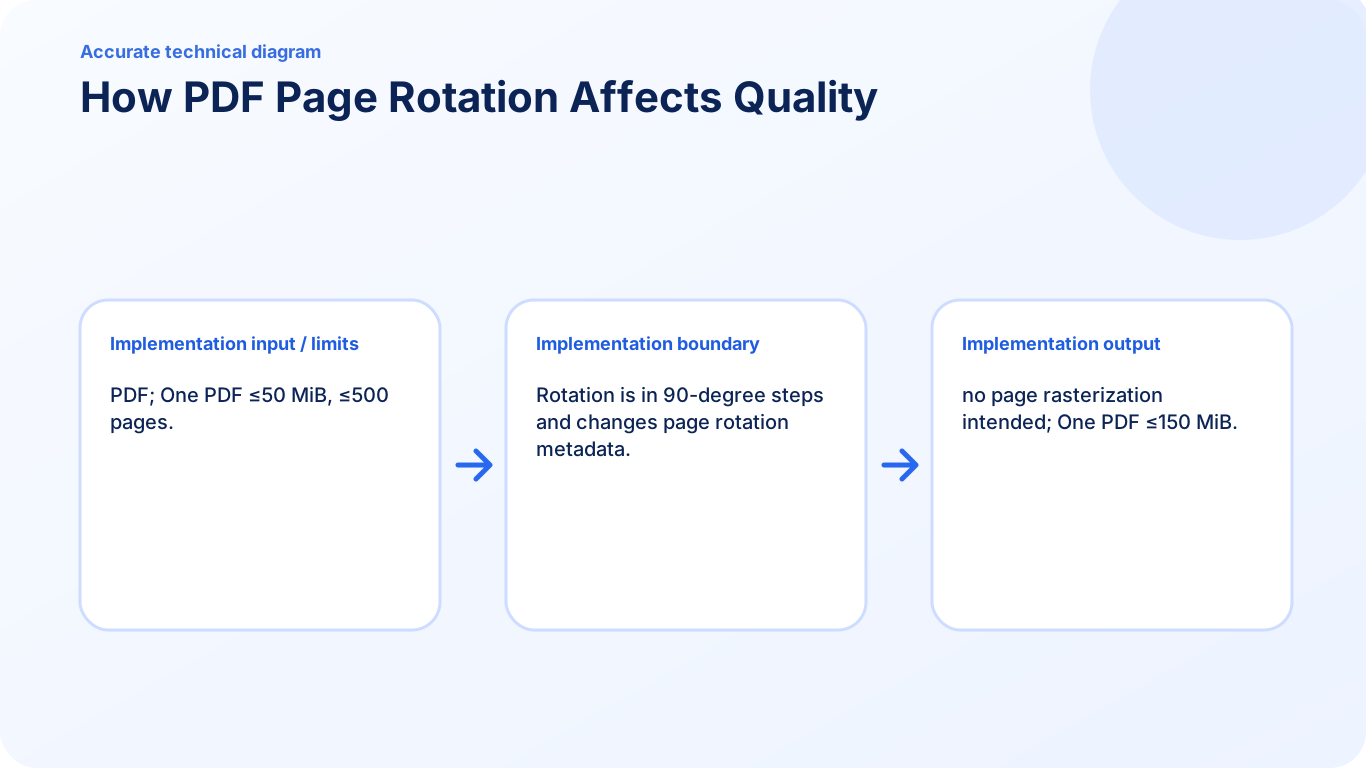
Does rotating reduce PDF quality? No. The page content is not rasterized or recompressed; saved quarter-turn rotations are applied to the PDF pages.

  1. Use only the settings needed for the required result.
  2. Keep the source file available for comparison.
  3. Do not rely on an unsupported exact-size, fidelity, or security promise.

Review the completed file

Compare text and graphics with the source and confirm the rotation is permanent.

Open the downloaded result in a separate viewer, inspect important pages or details, and repeat the workflow with adjusted settings if the output is not suitable.

  1. Confirm the expected file type and page count.
  2. Check important text, images, order, and orientation.
  3. Share or submit only the reviewed copy.

Tools used in this workflow

Frequently asked questions

What should I prepare before following this workflow?

Save PDF page rotation locally without installing Acrobat or rendering source pages into lower-quality images.

How should I verify the result?

Compare text and graphics with the source and confirm the rotation is permanent.

Can I rotate PDF pages online for free?

Yes. Rotate selected pages or the complete document and download the corrected PDF without registration.

Can different pages use different rotations?

Yes. Rotate individual pages left or right until every thumbnail has the required orientation.

Does rotating reduce PDF quality?

No. The page content is not rasterized or recompressed; saved quarter-turn rotations are applied to the PDF pages.

Do I need an account to use Rotate PDF?

No. Current PDFKaka tools work without registration or sign-in.

Are my files uploaded while I use Rotate PDF?

No. This working tool processes the selected files locally in the current browser session.