PDF to text
How to remove repeated headers and footers from PDF text
Extract the text first, then review and remove recurring page labels without deleting similar wording from the document body.
On this page
See a visual example
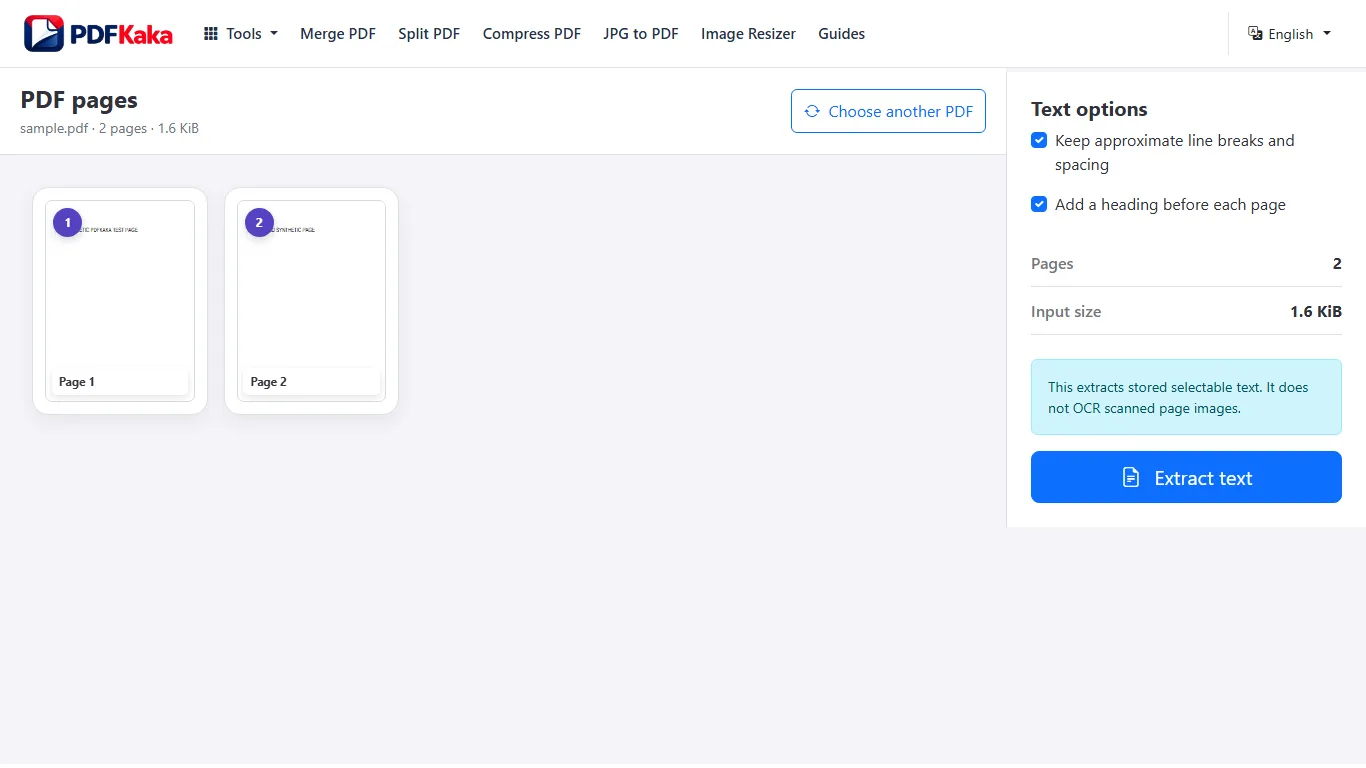
Extract the PDF text
- Open PDF to Text and select a PDF containing usable selectable text.
- Choose whether to keep approximate line breaks and spacing and whether to add page headings.
- Extract the text and review the preview, including pages with columns or tables.
- Name and download the UTF-8 TXT file.
- Compare the saved text with the first, middle and final source pages; run OCR first if required words exist only in images.
Text extraction does not replace OCR
Extracts stored selectable text only; no OCR and no page images.
A report title repeated on every page
A line such as Monthly Operations Report may repeat in the page header and also appear once in a meaningful sentence. Remove only the verified header occurrences. Review page numbers and confidentiality labels separately instead of deleting every line containing the same word.
Check this result before reusing it
- Distinguish source headers from the tool’s optional added Page headings.
- Check the surrounding body text before deleting each recurring line.
- Compare the first and final pages after cleanup.
FAQ
Does PDF to Text run OCR on scanned pages?
No. PDF to Text extracts text that already exists in the PDF. Use OCR PDF first for image-only scans.
What is the current input limit for PDF to Text?
One PDF up to 50 MiB and 500 pages, with up to 1,000,000 extracted characters. The text output must also fit the displayed output-byte limit.
What does PDF to Text create?
The converter extracts stored selectable text into UTF-8 TXT with optional approximate spacing and added page headings. It does not perform OCR or include page images, and it has no automatic repeated-header removal.
Does disabling added page headings remove the original PDF headers?
No. It only suppresses the tool’s extra page markers. Text stored in the source header or footer can still be extracted and must be reviewed separately.