PDF to Markdown
How to handle PDF tables and images in Markdown
Treat extracted text as a draft because complex tables, captions, figures, and image relationships do not automatically become complete Markdown.
On this page
See a visual example
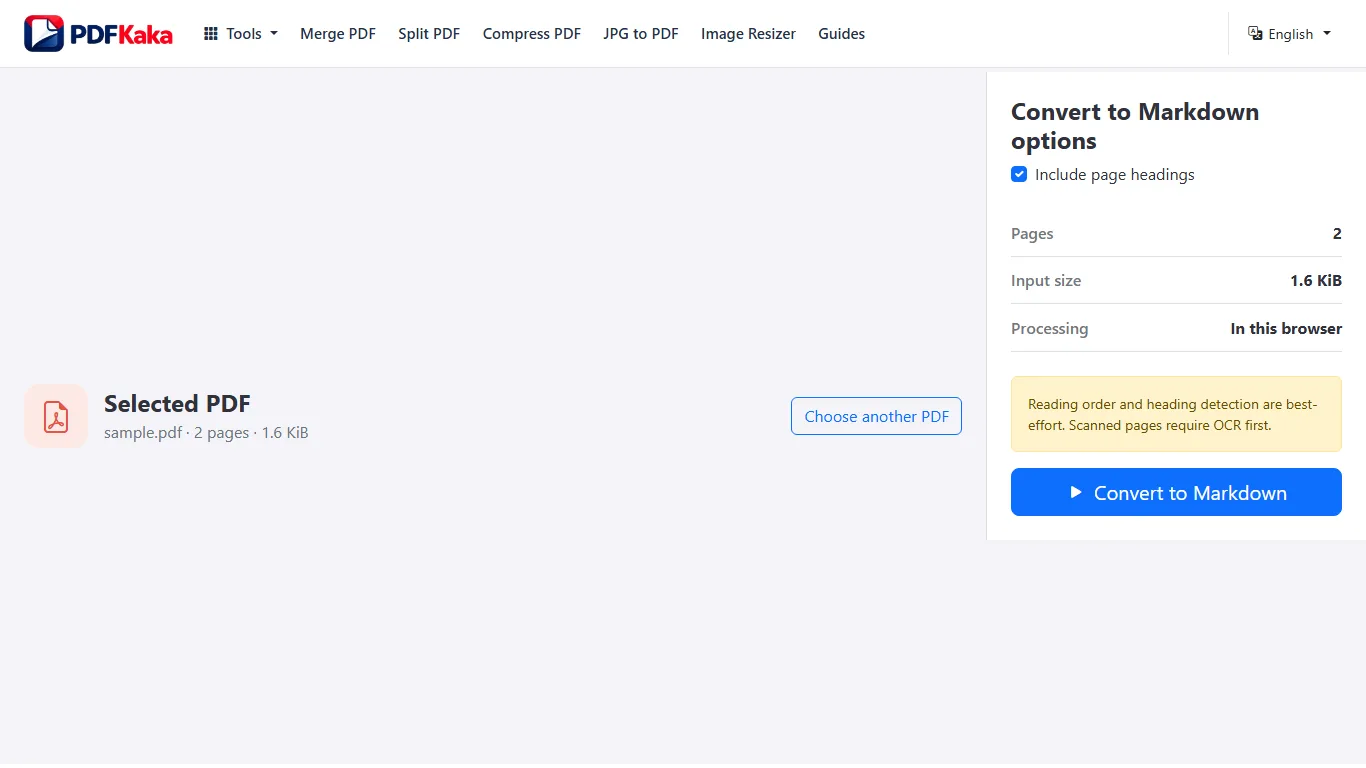
Convert the PDF to Markdown
- Test text selection on representative PDF pages; run OCR PDF first if the required pages are image-only.
- Open PDF to Markdown and select the searchable PDF.
- Choose whether added page headings should be included, then start conversion.
- Download the .md file and open it in a text editor or Markdown preview.
- Compare heading levels, reading order and structured data with the original PDF before reusing the text.
Text extraction versus OCR for scanned pages
No OCR. Uses selectable text and a heading heuristic; does not fully reconstruct lists, tables, images or links; simple aligned columns use geometric reading-order analysis.
A price table beside a diagram
Use the PDF to match each product with its quantity, currency and total before writing Markdown table rows. Export a necessary figure separately with PDF to JPG if appropriate, and add a meaningful description or reference; a caption by itself may omit the diagram’s essential information.
Check this result before reusing it
- Verify row labels, column labels, units and totals together.
- Check a caption against the actual figure rather than assuming all image text was extracted.
- Preview the rebuilt Markdown table and compare it again with the PDF.
FAQ
Does PDF to Markdown OCR scanned pages?
No. Use OCR PDF first when a scanned document does not already contain usable selectable text.
What is the current input limit for PDF to Markdown?
One PDF up to 50 MiB and 100 pages, with up to 1,000,000 extracted characters. There is no multi-file batch input in this tool.
What does PDF to Markdown create?
The converter uses stored selectable text and a heading-size heuristic. It has no OCR and uses geometry for simple aligned column order and infers headings; lists, tables, images and links are not fully reconstructed. Review complex or rotated layouts and correct the downloaded Markdown where needed.
Will the MD download contain extracted image files?
No. The current Markdown output is text. Use a page-image workflow separately when a visual reference is required, and manage the image links yourself.