Compare PDF
How to Compare Two PDF Files for Visible Differences
Compare two PDF versions by rendering corresponding pages and measuring pixel differences, then use the TXT report to choose which original pages need manual review.
On this page
See a visual example
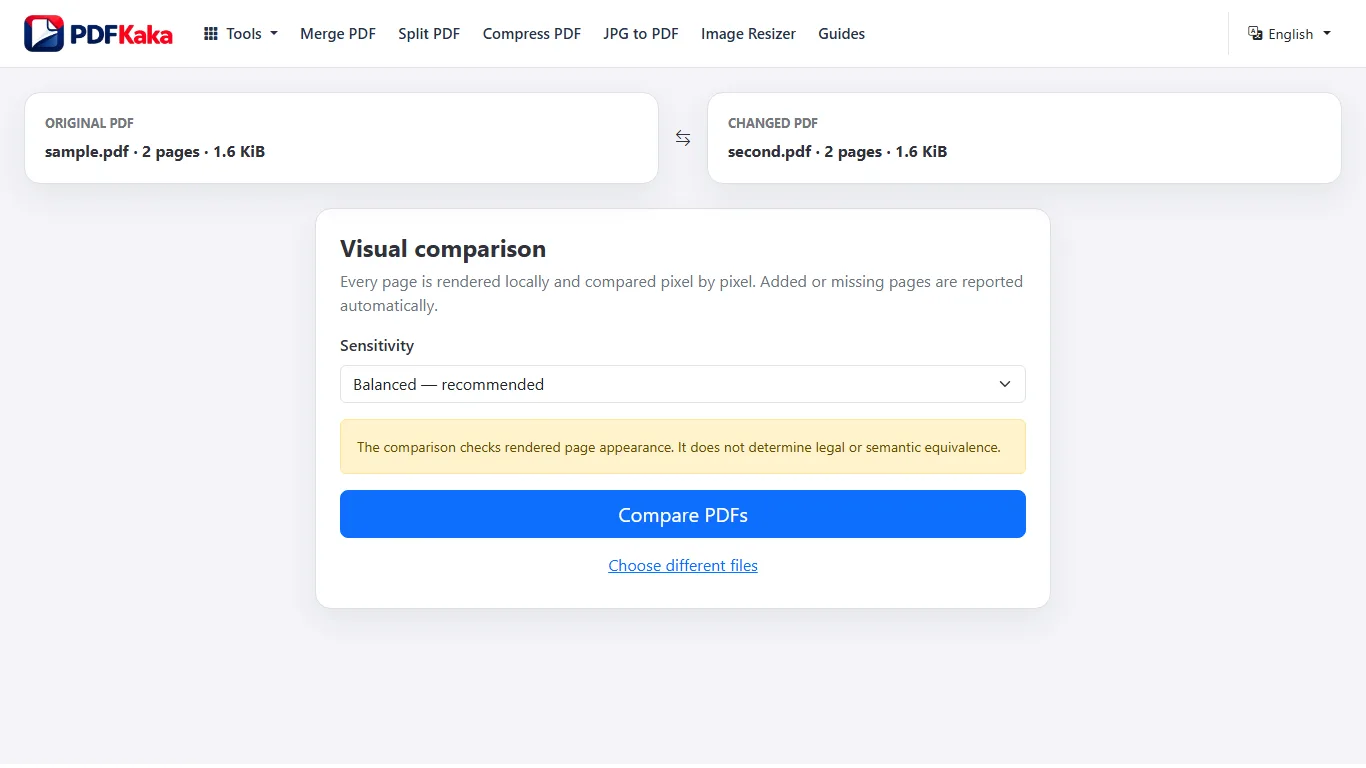
Match the versions before comparing
Compare PDF matches page positions. An inserted cover or removed appendix can shift later pages, so check page count, orientation and the point where the sequence diverges. A reported difference can come from layout, wording, images or rendering.
- Choose the original and changed PDFs in the corresponding file slots.
- Use Balanced sensitivity first; lower sensitivity ignores smaller pixel changes, while higher sensitivity detects smaller changes.
- Run the comparison and download the TXT report.
- Open the originals at every reported page position and record the actual visible change.
Interpret the report in context
The percentage concerns rendered pixels, not the percentage of words changed. A different amount or account number can affect very few pixels and still matter. Added or missing page positions are reported as completely different. The tool does not produce a legal redline, semantic comparison or highlighted side-by-side document.
Check a second pair cleanly
Use the replace or restart controls when comparing another pair and confirm both filenames before starting again. Keep the report associated with its exact sources; the report alone is not revision-history or authorship evidence.
read and verify a PDF difference report
The downloaded comparison report summarizes rendered page differences; it is evidence for where to look, not an explanation of what changed.
Read the TXT report as a map to pages with pixel differences, then inspect those pages in both source PDFs. The report does not identify semantic edits or decide whether a change is important.
Understand what the measurements represent
Compare PDF renders corresponding pages and measures RGB pixel differences. Page dimensions, rendering changes, moved objects, replaced images, and altered text appearance can all affect the measurement.
Trace each result back to the sources
- Keep both PDFs open beside the TXT report.
- Start with pages that the report identifies as different.
- Compare page size, orientation, fonts, images, spacing, and visible wording.
- Record the actual editorial change separately when it matters.
Avoid conclusions the report cannot support
The report is not change tracking, semantic diffing, authorship evidence, or a legal redline. A small measured difference can still affect an important number; a large visual difference can come from layout alone.
Record confirmed changes separately
Work through the reported pages in order and note the visible cause of each difference. Classify it as wording, number, image, spacing, font, page size, or another layout change. That separate review record carries the interpretation that a pixel measurement cannot supply on its own.
FAQ
What does a 0% visual difference prove?
It means the rendered images matched under that comparison. It does not establish identical metadata, hidden content, certificates or legal meaning.
Why can the same wording look different?
Fonts, spacing, antialiasing, page dimensions and image encoding can change the rendered pixels without changing the words.
Why does the report show a difference when the words look the same?
Font rendering, spacing, page dimensions, images, or antialiasing can change pixels without changing visible wording.
Does a low difference score prove the documents are equivalent?
No. A small changed number may affect few pixels but still matter. Inspect the source pages.
Can the report explain who made a change?
No. It measures rendered differences and contains no authorship or revision-history analysis.